Google Assistant could do hundreds of things. Most people tried it once and never found out.
Gone After Day One
New users who never came back
Day 1 Activation
Where the program started, 2019
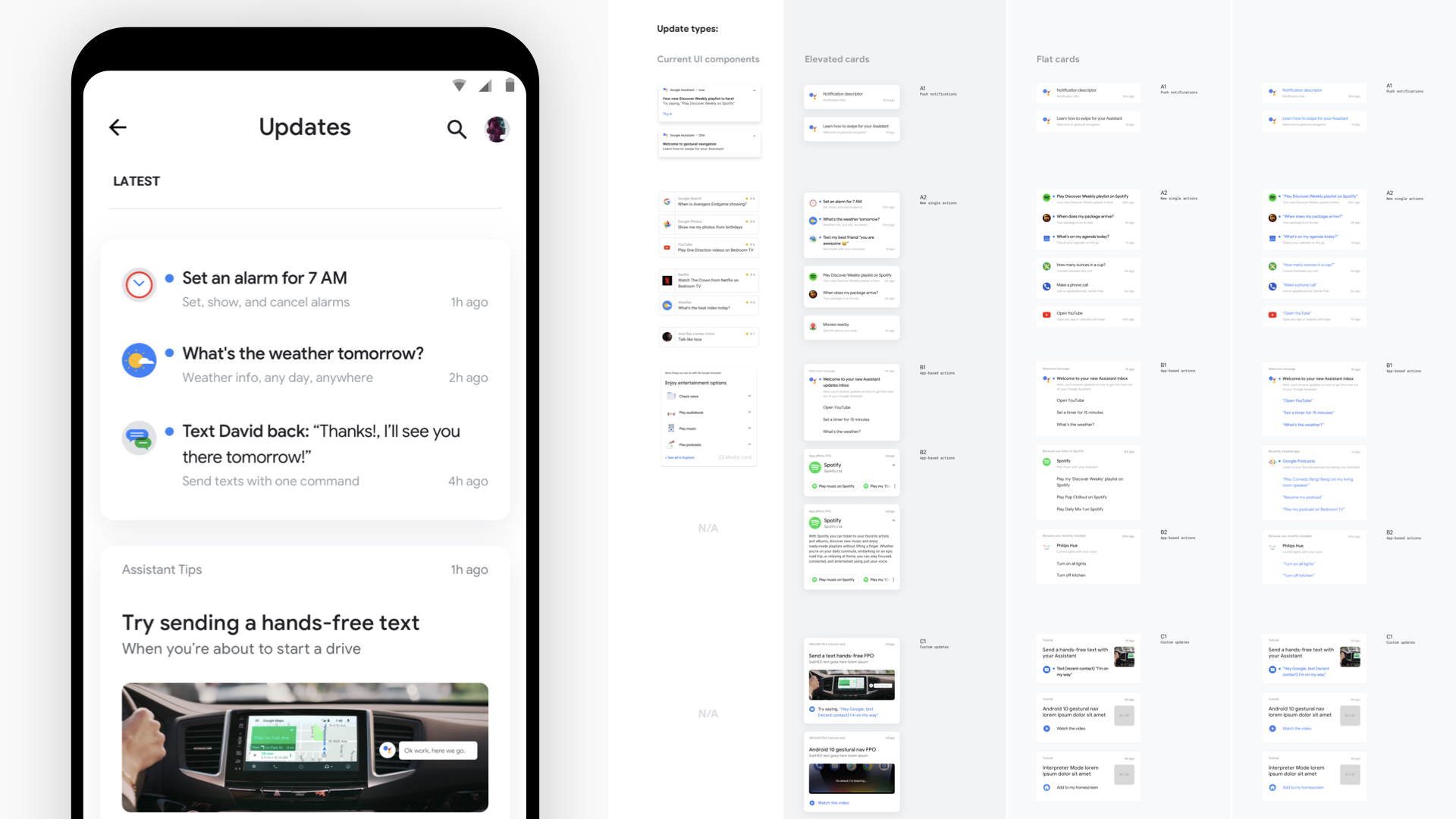
Prototype of the half-screen input plate, 'Make Google Do It.'
I joined Google Assistant’s Growth / Day 1 UX team in 2019 as one of six designers, working across the First Run Experience and Hotword-to-Voice Match.
The team ran an experiment pipeline rather than a design-review one: strategize around an opportunity in the growth funnel, ship lightweight live tests, learn, and ship the best results.
My work sat inside that loop. I defined the problem alongside research, product management, and conversation design, built the prototypes that got everyone aligned on a direction, and prepped the launch once a test gave signal that it would move the needle.
Apathy, Not Frustration
People weren’t frustrated by Assistant. They were indifferent to it.
The goal was blunt: get a new user to issue one query the first time they saw Assistant. That’s activation, measured in daily active users (DAU) and successful interactions.
A diary study across Day 1 and Week 1 explained why they didn’t. New users didn’t understand what Assistant could do for them, the first interaction rarely “wowed,” and they felt lost.
Apathy, not frustration, is the main cause of drop-off.
— New user diary study, Day 1 and Week 1 journey
Workshops turned that into three themes (surface what’s useful, help Assistant learn you, give users choice) and a 2019 target: lift Day 1 activation to 10%.
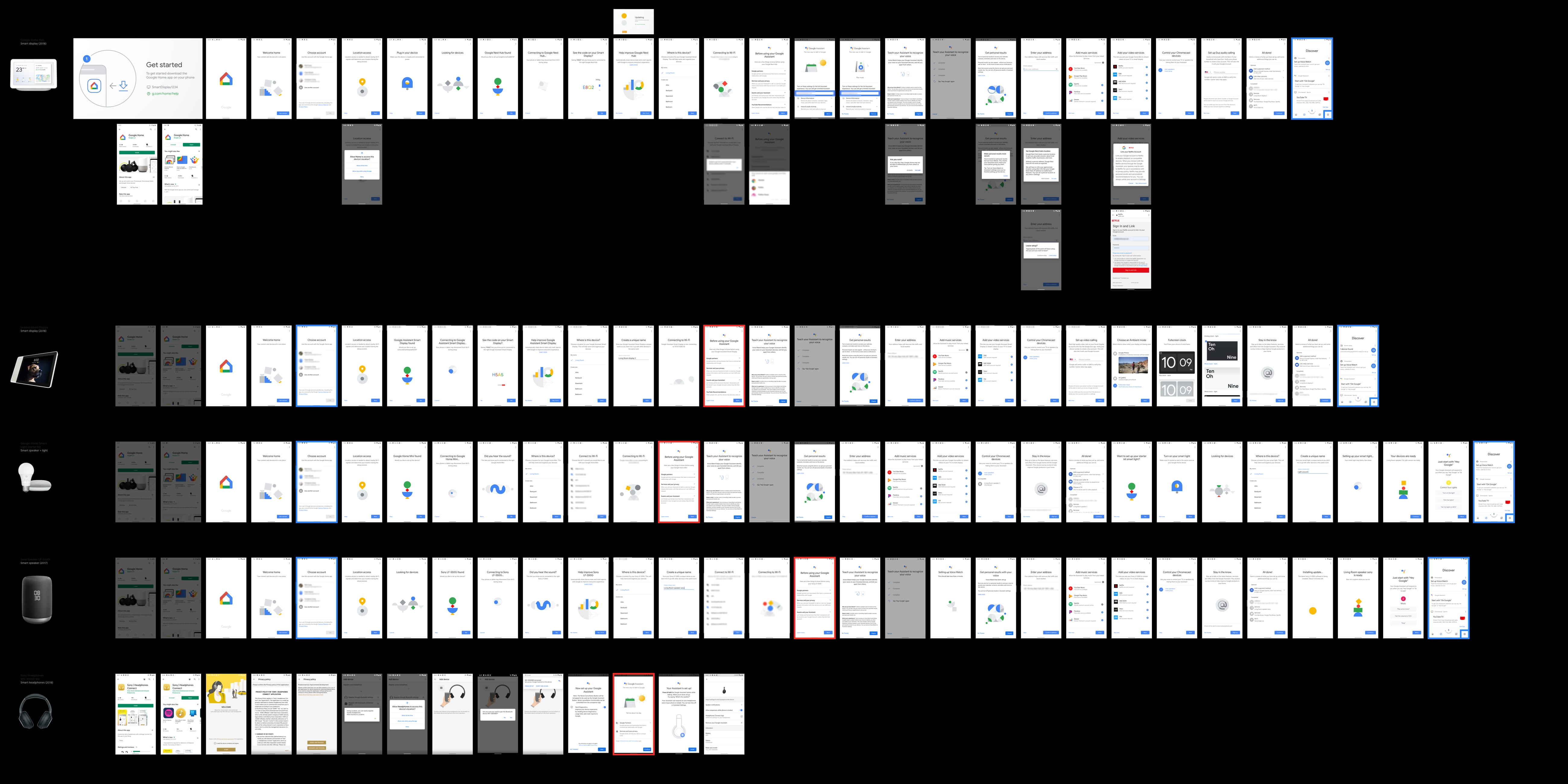
Before changing anything, I mapped what already existed. Assistant didn’t have one first run. It had one per device: smart displays from Google and Lenovo, a Sony speaker, a light starter kit, Sony headphones. Each shipped its own setup flow, and each one was somebody’s first impression of Assistant.
Where New Users Actually Churned
The drop-off wasn’t at first contact. It came a week later.
The team modeled the new-user lifecycle in three stages: Unfamiliar, Tentative, Familiar. The real drop-off wasn’t at first contact. It came later, as users experimented, with a three-week usage streak marking the crossover into Familiar.
That reframed the problem. The first interaction wasn’t what needed the most fixing; the missing reason to come back was.
The Experiment Cascade
Three focus areas ran through one process: Day 1 Activation, Week 1 Engagement, and Discovery. Find the opportunity in funnel data and research, test it live, drop what underperformed, and invest further in what worked.
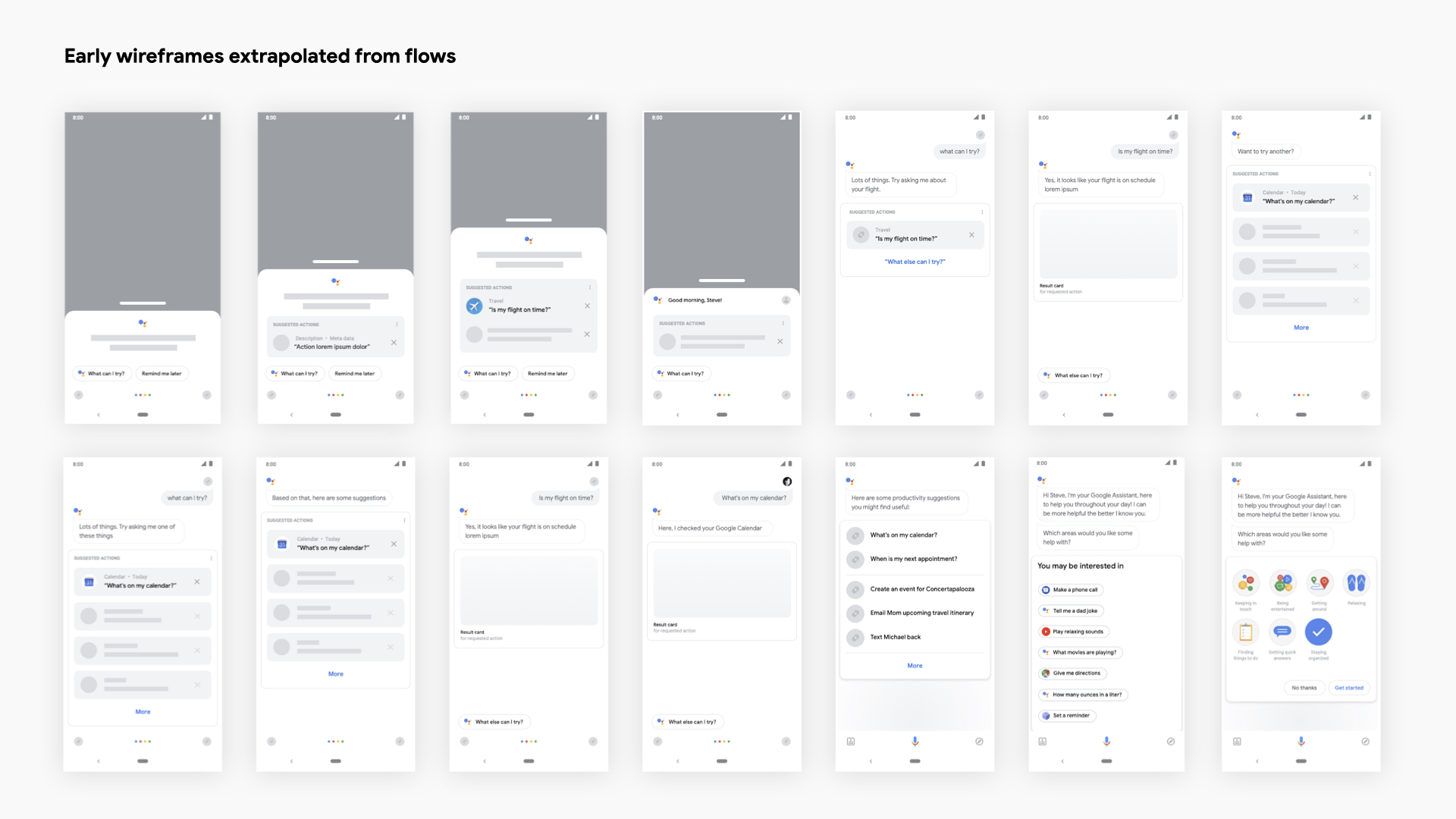
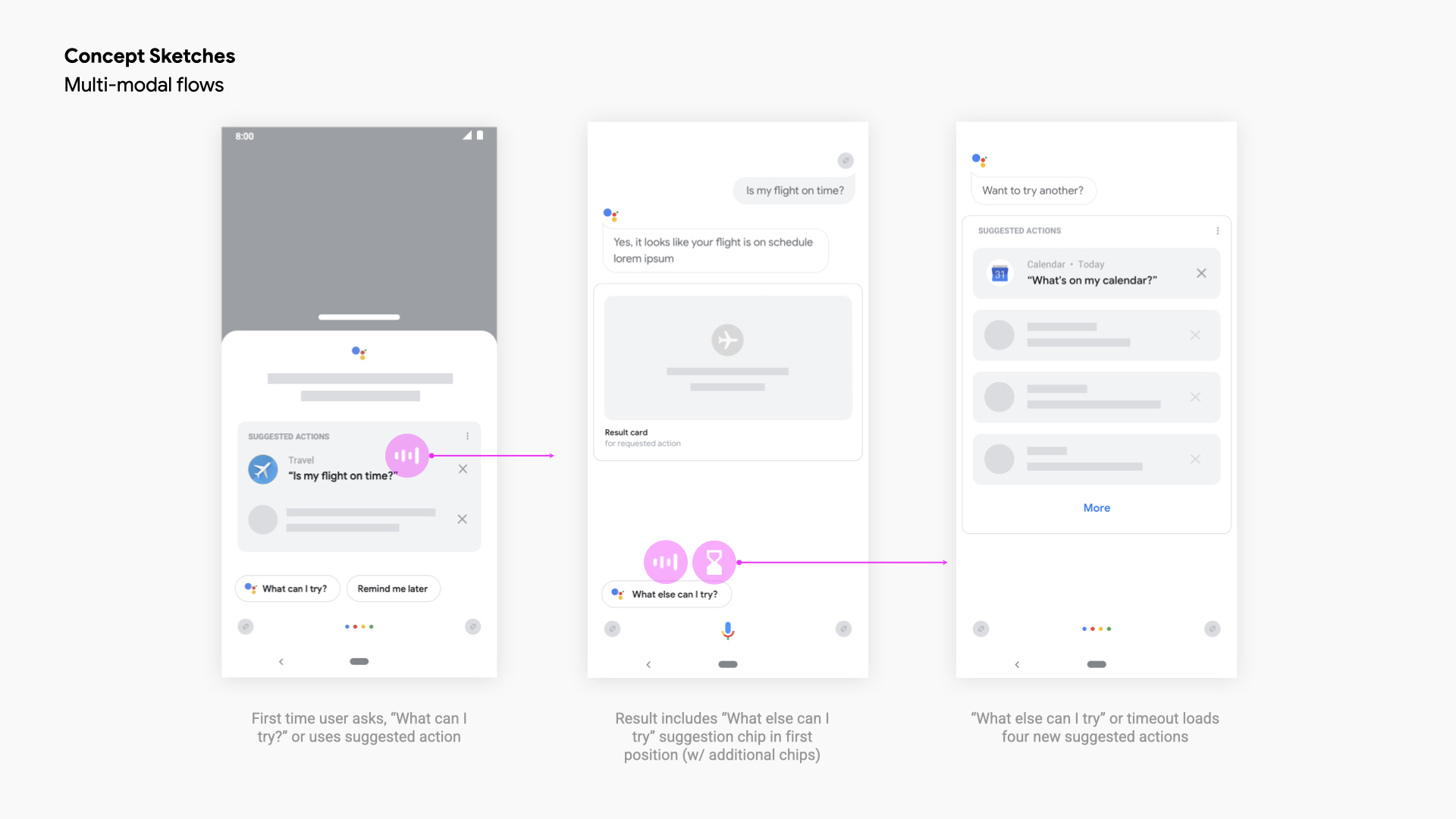
Flows, wireframes, and concept sketches
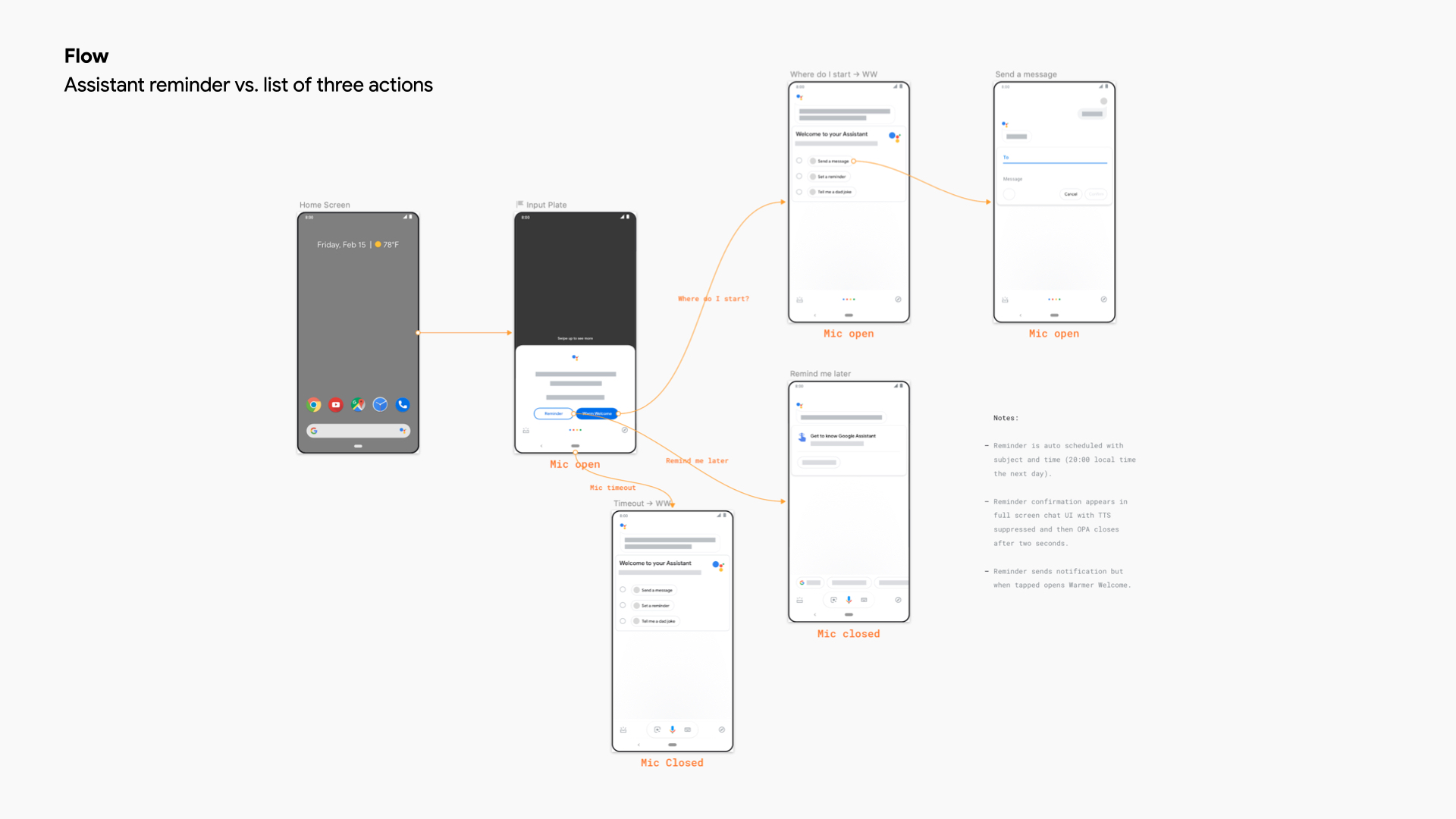
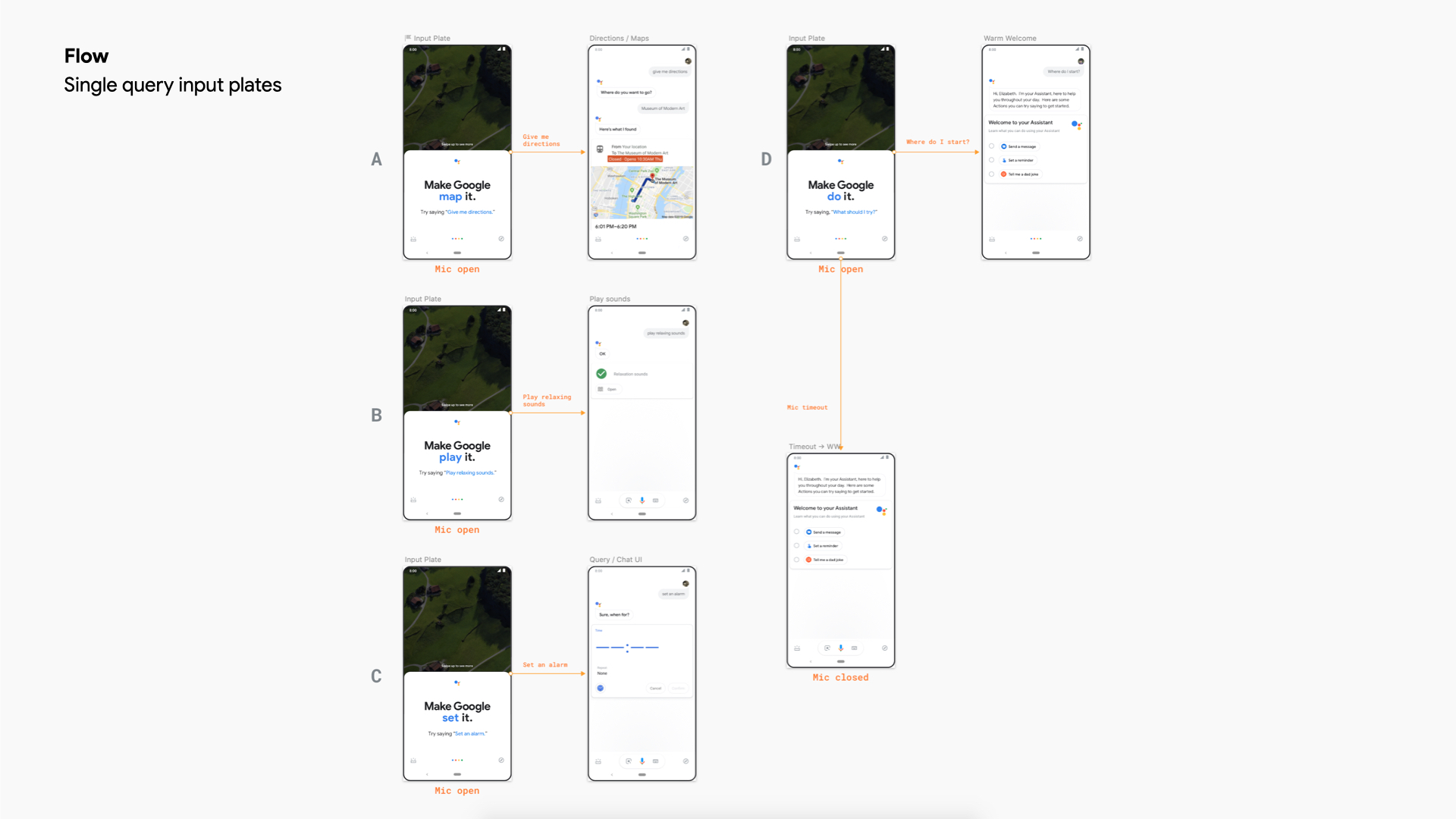
Hotword to Input Plate
The simplest way into Assistant was blocked by a setup screen.
Saying “Hey Google” routed through Voice Match, a multi-step setup, before the user got any answer at all. Three declines locked them out of the prompt for good.
- 20%
- Trained Voice Match and kept hotword on
- 80%
- Tapped “No thanks”
- 75k
- Users locked out of hotword daily
Research backed the fix. Six of 11 participants expected an input plate on first hotword use, not a setup screen. So the concept was to route hotword straight to the input plate, then ask for Voice Match later, in context, once the user had gotten something out of it.
- −90%
- Daily lockouts, from ~75k to ~5.6k
- +3.32%
- DAU across all users
Half-Screen “Make Google Do It”
An early test that ultimately led to the final (see below)
A half-screen input plate, tested against the full-screen default. The first pass won on its own, with research showing a 60/40 voice-to-tap split.
An early iteration put query suggestions on the plate itself, so a new user saw something to say instead of an empty prompt. This led to the final version, which lived on until the product was sunset in exchange for Gemini.
- +2.6%
- DAU, first pass
- +6%
- DAU, early iteration
- +2.98%
- Successful Assistant interactions, early iteration
Warmer Welcome
How Assistant said hello changed whether people stayed.
The warmer opening, greeting the user by name and offering something to try.
A warmer first-run opening, tested with and without text-to-speech, was direct evidence for one of the program’s core findings: language and voice measurably change the outcome.
- +2.66%
- DAU, without text-to-speech
- +3.63%
- DAU, with text-to-speech
Try Before You Buy
Let people try Assistant before asking them to set it up.
The final flow that was live from 2021 until product retirement. Additional setup is offered later, once the user has gotten value.
A brand-new user landed on a blank conversational interface with a single suggestion and nothing blocking them. This gave them a no-commitment trial, a chance to feel what Assistant did before any setup friction.
That’s the whole idea. The user sees what Assistant can do, tries it for a bit, and only then does Assistant ask for additional set up.
- +14.4%
- DAU, combined across the Try Before You Buy launches
- +8.5%
- Assistant queries
- 3×
- True new users reaching the chat UI
Four findings kept recurring across the program:
- Language and voice matter
- One clear action beats multiple CTAs
- Specific suggestions beat open-ended prompts
- Users prefer multi-modality over a single one (voice, touch, mouse, etc.)
Beyond the Growth Work
The team also helped bring Material Design in line with Google’s own brand identity. One small piece of that was mine.
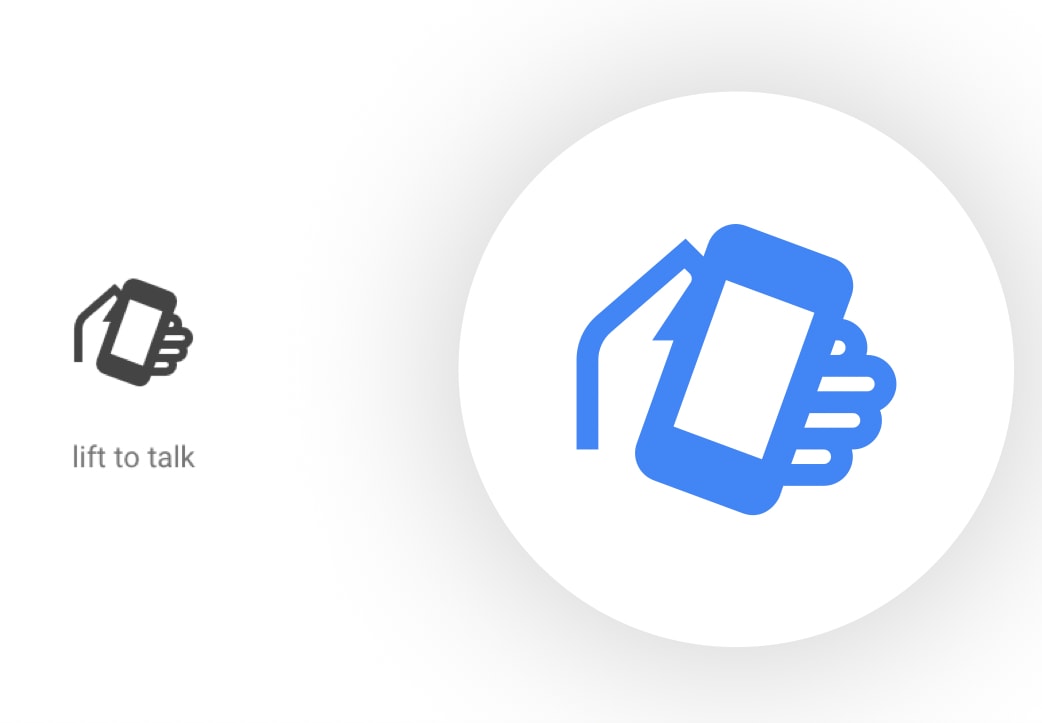
“Lift to talk” in Google's icon library.
I drew “Lift to talk”, the icon for raising your phone to speak to Assistant. It started as a hand sketch, went through Google’s Brand Studio review, and shipped into Google’s internal Material icon set.
From 5% to 12%
Day 1 activation moved from 5% to 12%, against a 2019 goal of 10%. For true new users, DAU lifted 8.92%. Fifty-plus live experiments and fifteen-plus launches got there. Not one big redesign, but a compounding sequence of small, validated bets.
Day 1 Activation
From 5%, against a 10% goal
DAU Lift
Try Before You Buy, combined
Live Experiments
Launches